
One More Story App Review
Reading is very important to my family. I love to read for pleasure, and one of my most important goals as a homeschool mom is to pass along that love of reading to my kids. That is why I was so excited to learn about One More Story! In this One More Story App review, I’ll share what we love about this awesome picture book reading app, and why you need to try it with your kids.
I received access to One More Story in exchange for my honest review, but all the opinions in this post are my own. This post may contain affiliate links and I may earn a small commission for purchases made through those links.
What is the One More Story App?
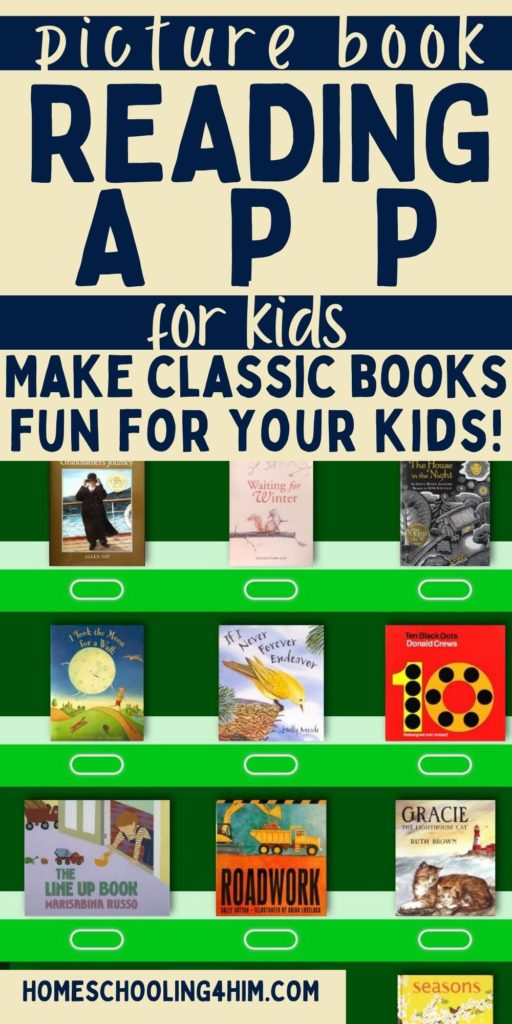
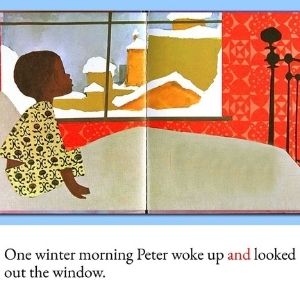
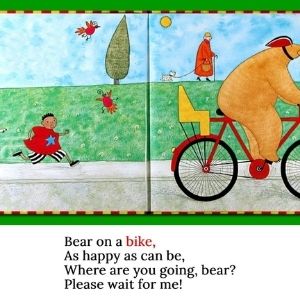
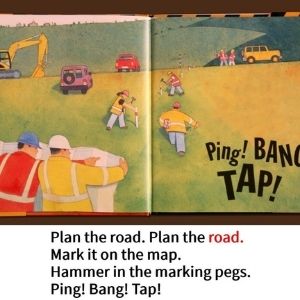
One More Story is an app that reads picture books to children. The app features a growing library of picture books (87 at the time of this review). The books are high-quality and well-known children’s picture books, including several Caldecott winners. Think The Snowy Day by Ezra Jack Keats and 10 Black Dots by Donald Crews, plus a lot more.
Each book is professionally narrated and includes high quality background music.
The app has an easy-to-use interface, even for younger kids who can’t read. Several different levels of support are available to help kids as they transition from pre-reading to reading independently.
Who Created One More Story?
One of the first things that sets the One More Story app apart is its creators. This app was created by Carl Teitelbaum, a former producer of Sesame Street, and Rona Roth, a kindergarten teacher. The background music for the stories was created by Robby Merkin, who also created the music for Sesame Street.
It is obvious from using the app that it was created by professionals who understand how to design an engaging experience for kids!

Key Features of the One More Story App
- A growing library of 87 high quality and award-winning children’s books
- Professionally narrated with engaging music
- Read aloud, follow along, and read independently options support kids as they are learning how to read
- Easy to use navigation allows kids of all ages to use the app independently
- Parent dashboard allows parents to track their child’s progress
How to Set Up the One More Story App
When we started our One More Story app review, I was impressed with how easy it was to set up our account. One password provides access to the One More Story program as well as the parents’ dashboard.
Because there are not individual accounts for each child in the home membership, all we needed to do was log in and we were ready to start reading.
Technology Requirements
At the time of this review, the One More Story App is only available for iOS. When I first heard about One More Story, I was disappointed because my family uses Android devices, so I assumed the app wouldn’t be for us.
But, then I learned that you can also access the app through a browser! During our One More Story app review, my kids used the app through Google Chrome on my Android phone, and it worked great! This is a fantastic workaround for anyone who doesn’t have an iOS device.
We were even able to create a shortcut to the app’s webpage on my phone, so we can access One More Story right alongside all our other Android apps!
One downside of accessing One More Story through a browser comes when using the “Read Along” mode. The app will allow kids to listen to the story while it turns the pages automatically, and this was the mode my kids preferred. However, it doesn’t require them to interact with the story in any way. This meant that my phone would turn the screen off due to inactivity halfway through the story. I quickly learned that I needed to turn off this setting when we use One More Story!

How to Use the One More Story App
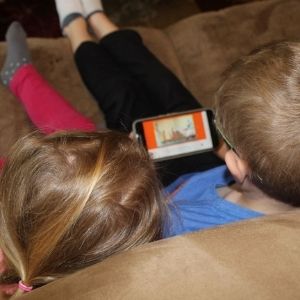
During my One More Story review, I was able to test the app with both my 5-year-old son, who is a fluent reader, and my 3-year-old daughter, who isn’t reading yet. I was excited to find that they could both use the app independently!
Navigation
I love that the navigation in this app is intuitive for kids and doesn’t require reading skills. Large buttons are easy for kids to find and use. The red stop sign takes kids back, while the green arrow moves them on to the next page. My kids don’t spend a lot of time navigating phone apps but were able to use this one independently within just a few minutes.
One of my kids’ favorite parts of the app was the worm, Benjamin D. Bookman (“Bendy”) who helps guide kids through the app. Bendy tells them what they need to do, and how to use the navigation, each time they choose a book. This is a great reinforcement for kids who need a little more support using the app independently.
Reading Modes
As a parent and former teacher, one of the things I liked best about this app was the way that it supports kids as they learn how to read. It includes several different reading modes that help kids to become more independent.
- Read to You Mode: The app reads the story aloud, with no input required from kids. It shows the text and highlights the words as they are read.
- Read-Along Mode: The app reads the story aloud, and kids press the green arrow to turn the page. Kids see the text as it is being read, and the words are highlighted.
- I Can Read It Mode: Kids read the story to themselves. They can touch words they don’t know and the app will read that word to them. Those words are also stored on a list for further review.
Vocabulary Review
One of the hidden features that we discovered during our One More Story app review is the vocabulary section. Before reading each book, kids have access to a vocabulary list that highlights specific words from that book. Kids can hear each word read aloud, along with a definition, and see how it is used in a sentence. This is a helpful feature for kids to learn new words!
Parents Place
I love that the One More Story app also comes with a parent dashboard, called Parents Place. Parents can access the dashboard using the same password as their child’s login.
In the parent dashboard, the app keeps a record of which books kids have read. It also keeps a running list of words that kids clicked on for help when they were reading books independently. This would be a great resource for homeschool parents to be able to focus on words their kids can’t read independently yet!
Unfortunately, the home subscription of One More Story only allows for one login. If you have multiple kids using the app, the information in the parent dashboard won’t be separated by child, which could make it more difficult to use the word list.
Pros of the One More Story App
1. It’s Easy to Use
I love how simple and intuitive the navigation is inside the app. Even my young 3-year-old who is not yet reading was able to navigate the app independently after just a few minutes of practice.
2. Bendy the Worm Tells Kids What to Do
The bookworm guide makes navigation foolproof. If kids get stuck, the worm will guide them to their next steps navigating the app.
3. The One More Story App is Ad-Free
I felt safe allowing my kids to use this app independently because I knew that they would not encounter ads while they were using it. I was able to trust in the quality of the app and the books included and not have to worry about supervising my kids’ use of the app.
4. It’s Fun for Kids
My kids really enjoyed using this app during our One More Story app review. In fact, they asked to use it regularly. I want my kids to enjoy reading, and this app is a helpful tool to make reading time fun!
5. It’s High Quality
The quality of the app itself was excellent, and this is one of the things that really sets One More Story apart from other apps for kids. The books were read by a variety of professional actors. In addition, high-quality background music helps to create an immersive experience for kids.
6. The One More Story App Uses Excellent Books
When kids are reading, the quality of what they are reading is very important. This app includes a wide variety of high-quality and well-known picture books, including several Caldecott winners. I love that my kids can get exposure to such quality literature through an app!
7. The Books Are Their Own Reward
One of my favorite things about this app is that it is simple. Many apps for kids include a complicated reward system where kids can earn prizes by completing certain activities. It can be easy for kids to get distracted by the rewards.
This app doesn’t need that. The books themselves are so well done that they are the reward in this app. My kids wanted to use this app because they wanted to read the books, not because they wanted to earn rewards. The app turned the books themselves into the reward- and itsn’t that what we are all trying to teach our kids after all?
8. It Includes A Variety of Levels
I love that this app includes a variety of different levels of support for kids as they are learning to read. From reading the book to the child to encouraging them to read independently, the app meets kids where they are and helps them learn to enjoy books.
9. One More Story Highlights the Words
In all of the pre-reading modes, the app highlights the words as it reads them. This is great for pre-readers! Kids will learn that words are read from left to right and top to bottom. They will also start to associate the written and spoken words, and even begin to recognize the words they are hearing.
10. The Parent Dashboard Keeps Records
The parent dashboard makes it easy for parents to keep track of the books their kids have read. It also keeps track of a list of words that kids need to work on, which is a helpful feature.
Cons of the One More Story App
1. No App for Android
I would love to see a One More Story app for Android users. Although the browser workaround worked well for my family, it did require us to disable the screen from turning off on its own. It would be easier to use this resource on an Android phone if there was an app for it directly.
2. No Individual Child Accounts
The classroom version of One More Story allows teachers to set up an individual account for each child. It would be helpful for parents to have the same option for use at home. Then, parents with more than one child would be able to access a word list for each child, which would allow us to use the list for targeted review.
Our One More Story App Review
Overall, my family loved the One More Story app! My kids really enjoyed reading the books and we were all so impressed with the quality of the books, the music and narration, and the app overall. This is an app that we will continue to use in our homeschool. It is a great resource for families who want to help their kids get excited about reading and provide a fun and educational alternative during screen time.
Try One More Story for Yourself!
One More Story has made a sample book available for free! You can see a sample book, learn more about the app, and subscribe on their website.
You can read more reviews of One More Story on the Homeschool Review Crew Blog!

Related Post: Best Homeschool Apps



Being an effective reader is the key to all educational pursuits. Introducing children to quality literature is a great first step. That’s why we carefully choose the books in our library.
Thank you so much for taking the time to review One More Story. We really appreciate it.
Happy Reading!
Hi Carl, Thank you for creating such an amazing app! It was an honor to be able to help spread the word.